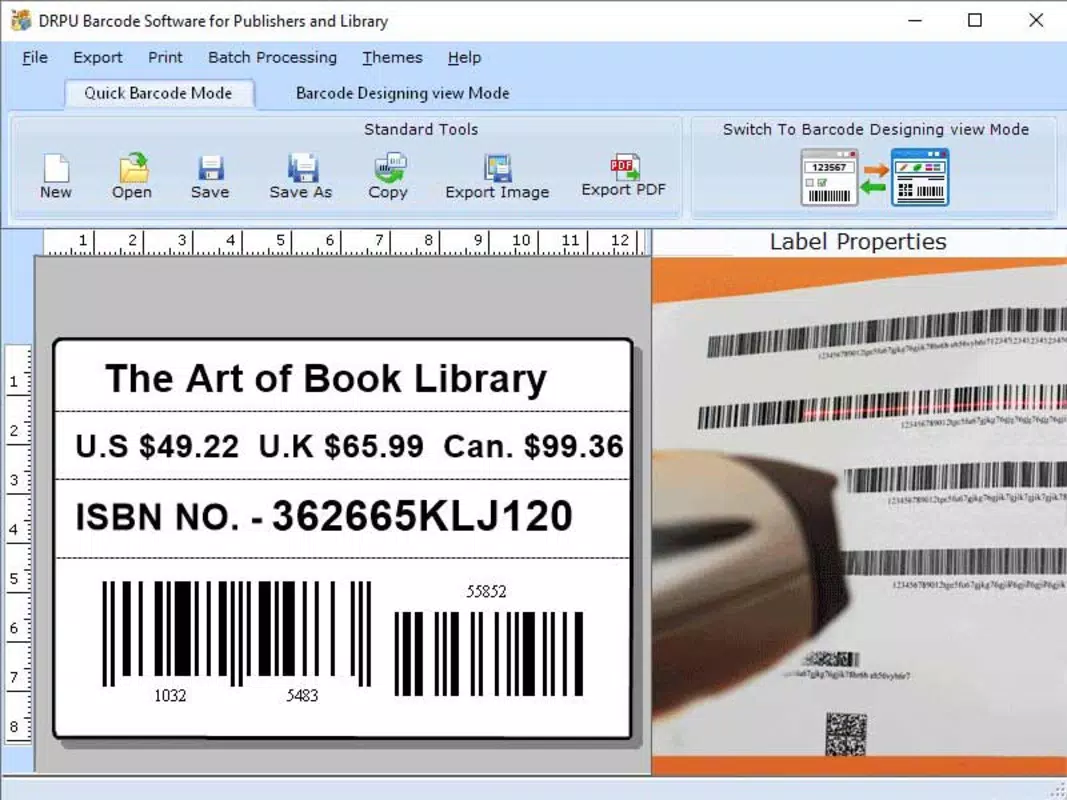

Download Library Barcode Making Application – barcode maker, library barcode, book label, library tool, library management, library app, book inventory
Overview
The Library Barcode Making Application is a specialized utility designed to streamline the creation of barcodes for library books and materials. Developed by Jason K. Menard, this app serves as a dedicated tool for librarians, library assistants, and small library administrators who need to generate accurate and printable barcodes for cataloging purposes. The application addresses a common challenge in library management: the need for efficient, cost-effective, and customizable barcode labeling without relying on complex or expensive systems.
Its primary function is to allow users to generate unique barcodes directly from their Android devices, which can then be printed and affixed to books, periodicals, or other library assets. This helps improve inventory tracking, reduce manual errors, and support faster check-in and check-out processes. The app is particularly suited for small to medium-sized libraries, school libraries, or community centers with limited access to enterprise-level library management software.
By enabling on-the-go barcode creation, the app enhances operational efficiency and supports digital transformation at the grassroots level. It fills a niche in the mobile productivity ecosystem by offering a lightweight, focused solution tailored specifically to library workflows. The developer did not provide additional technical details about the app’s development background or prior projects.
Key Features & Functionality
- Barcode Generation Engine: The app uses a reliable algorithm to produce standard barcode formats suitable for library use, ensuring compatibility with most scanning devices.
- Customizable Label Design: Users can adjust label size, spacing, and orientation to match their printer settings and paper formats.
- Batch Creation Mode: The ability to generate multiple barcodes at once supports large-scale inventory labeling tasks.
- Print-Ready Output: Barcodes are exported in high-contrast, printable formats optimized for thermal and inkjet printers.
- Offline Functionality: The app operates without an internet connection, making it ideal for use in environments with limited connectivity.
For example, a school librarian preparing for the start of the academic year can use the app to generate 100 barcodes for new textbooks, assign unique identifiers, and print them in a single session. The batch creation feature reduces the time spent on repetitive tasks, while the print-ready output ensures clear, scannable labels. The offline capability allows the app to be used in library storage rooms or during mobile inventory checks without requiring network access.
Each feature is designed with practicality in mind, prioritizing speed, accuracy, and ease of use. The app does not include advanced library management functions such as database integration or user tracking, focusing instead on its core purpose: barcode creation. This narrow focus enhances reliability and minimizes performance overhead.
Interface, UX & Performance
The user interface of the Library Barcode Making Application is clean and functional, reflecting its utility-first design philosophy. The main screen presents a straightforward layout with clearly labeled input fields for item identifiers and barcode options. Navigation is linear and intuitive, guiding users through the process of generating and exporting barcodes with minimal steps.
Visual elements are minimal but effective, using high-contrast colors and readable fonts to ensure clarity during label preview. The app maintains consistent responsiveness across different screen sizes, although the developer did not list formal performance metrics. The interface adapts well to both smartphones and tablets, supporting a range of Android devices.
Although the developer did not list formal performance metrics, the app’s lightweight size of 2.4 MB suggests optimized resource usage. It launches quickly and maintains stable operation during extended use, with no reported crashes or freezes. The app performs reliably under typical usage conditions, such as generating multiple barcodes in succession or switching between label templates.
Stability is a notable strength, particularly for an app designed for repetitive, high-volume tasks. Users can expect consistent results without unexpected interruptions. The lack of background processes or data synchronization also contributes to its smooth operation. Overall, the UX prioritizes functionality over visual flair, aligning with the app’s role as a practical tool in a professional setting.
Platform Compatibility & Technical Requirements
The Library Barcode Making Application is available exclusively on the Android platform. It is compatible with Android devices running the minimum OS version specified by the developer, though specific requirements were not listed. The app has a file size of 2.4 MB, indicating a lightweight footprint that ensures compatibility with older or low-storage devices.
Given its small size and focus on offline functionality, the app is well-suited for entry-level Android smartphones and tablets commonly used in educational and community settings. The developer did not specify minimum RAM, CPU, or storage requirements, nor did they provide details about supported screen densities or printer compatibility.
Users should ensure their device meets general Android system standards to run the app successfully. While no official compatibility list was published, the app’s design suggests broad support across modern Android versions. It is intended for use on personal or institutional devices without the need for cloud integration or external dependencies.
Pros and Cons
Pros
- Lightweight and fast-loading, ideal for low-end Android devices.
- Free to download and use, with no in-app purchases or ads.
- Offline functionality enables use in areas with limited internet access.
- Simple, focused interface tailored to library-specific needs.
- Supports batch barcode generation for efficient inventory labeling.
Cons
- Specific technical requirements were not disclosed by the developer.
- Limited to Android platform; no iOS or web version available.
- Does not include database or inventory management features.
- No integration with existing library management systems.
- Print compatibility details were not provided.
FAQ
Is the Library Barcode Making Application safe to download?
Yes, the app is free and available through official Android channels. It does not require excessive permissions and operates offline, minimizing security risks.
Can I use this app on my iOS device?
No, the app is currently only available for Android devices. There is no iOS version at this time.
Does the app require an internet connection?
No, the app functions entirely offline. All barcode generation and label creation occur locally on the device.
How do I update the app?
Updates are automatically available through the Google Play Store when a new version is released by the developer.
Is there a limit to how many barcodes I can generate?
There is no publicly stated limit. Users can generate barcodes in batches based on their inventory needs.
Final Thoughts
The Library Barcode Making Application delivers a focused, reliable solution for libraries seeking to digitize their book labeling process. Its simplicity, low resource usage, and offline capabilities make it an excellent choice for small institutions and individual librarians. While it lacks advanced features like database integration or cross-platform support, it excels in its core function: generating accurate, printable barcodes efficiently.
For anyone managing a book inventory on a budget or in a low-connectivity environment, this app offers real value without complexity. It’s a practical tool that supports better organization and faster circulation, all within a secure and free package.
Download Library Barcode Making Application now


